
Imagine training a self-driving car on thousands of hours of video. The AI looks smart. It drives smoothly in simulations. But then it crashes into a pedestrian because the dataset labeled that person as "background noise." This isn't science fiction. It happens every day in machine learning projects where labeling errors are inaccuracies in annotated datasets where ground truth labels do not correctly represent the content being labeled. These mistakes degrade model performance faster than poor code or weak hardware.
You might think your data is clean. You spent weeks annotating images, tagging text, or drawing bounding boxes. But even high-quality datasets like ImageNet contain about 5.8% label errors. In commercial projects, error rates often sit between 3% and 15%. If you ignore these errors, your model will learn them. And once an AI learns a mistake, it repeats it at scale. Recognizing these errors early saves time, money, and potentially lives.
Why Labeling Errors Matter More Than You Think
Most teams focus on model architecture. They tweak neural networks, adjust hyperparameters, and chase higher accuracy scores. But if your input data is flawed, no amount of tweaking helps. Professor Aleksander Madry from MIT's Data-Centric AI Center put it bluntly: label errors create a fundamental limit on performance that complexity cannot overcome.
Consider this real-world impact. Curtis Northcutt, creator of the tool cleanlab is an open-source framework for finding and fixing label errors in machine learning datasets., showed that correcting just 5% of errors in the CIFAR-10 dataset improved test accuracy by 1.8%. That’s a huge jump for such a small change. Gartner warned in 2023 that companies skipping systematic label error detection see 20-30% lower model accuracy than competitors who fix their data first.
The cost isn’t just technical. In healthcare, the FDA now requires rigorous validation of training data quality for AI-based medical devices. In autonomous driving, missing a single pedestrian label can be fatal. You need to treat data quality with the same seriousness as software security.
Common Types of Labeling Errors You Need to Spot
Errors don’t look random. They follow patterns. Knowing what to look for makes spotting them much easier. Here are the most common types found across computer vision, text classification, and entity recognition tasks.
- Missing Labels: Objects or entities exist in the data but aren’t annotated at all. In object detection, this accounts for 32% of errors. A self-driving car failing to see a cyclist because the label was never drawn is a classic example.
- Incorrect Fit: Bounding boxes or tags don’t match the actual object. Maybe the box cuts off half the car, or includes too much sky. This happens in 27% of cases.
- Misclassified Entities: The right object is tagged, but with the wrong class. A dog labeled as a cat. A symptom labeled as a diagnosis. In entity recognition, 33% of errors involve misclassified types.
- Wrong Boundaries: Especially bad in text and speech. Where does one sentence end? Where does a named entity start? MIT found 41% of entity recognition errors involve incorrect boundaries.
- Ambiguous Examples: Some data points genuinely fit multiple classes. Is a "sneaker" a shoe or clothing? Without clear rules, annotators guess differently. These make up 10% of errors.
- Out-of-Distribution Items: Data that doesn’t belong to any defined class gets forced into one anyway. This causes confusion during training.
These errors often stem from unclear guidelines. TEKLYNX analyzed 500 industrial labeling projects and found that ambiguous instructions caused 68% of mistakes. If your team argues about how to label something, you already have a problem.
Tools to Detect Label Errors Automatically
You can’t manually check millions of data points. You need tools. Several platforms specialize in finding these issues using statistics, consensus, or model predictions. Each has strengths and limits.
| Tool | Best For | Key Strength | Limitation |
|---|---|---|---|
| cleanlab | Statistical rigor, multi-task support | Finds 78-92% of errors using confident learning | Requires coding skills; steep learning curve |
| Argilla is a platform for exploring, analyzing, and improving NLP models and datasets. | User-friendly web interface, Hugging Face integration | Easy collaboration for non-coders | Struggles with >20 labels in multi-label tasks |
| Datasaur is an enterprise data annotation platform with built-in error detection. | Enterprise teams, tabular data | One-click detection integrated into workflow | No support for object detection tasks |
| Encord Active is a visualization tool for computer vision data quality. | Computer vision, image analysis | Visualizes outliers and false positives clearly | Needs 16GB+ RAM for large datasets |
cleanlab leads in technical adoption among ML engineers (42% market share). It uses "confident learning" to estimate label noise without needing perfect ground truth. Just feed it model predictions and original labels, and it flags suspicious samples. Precision ranges from 65% to 82%, depending on the dataset.
Argilla shines for teams that want a visual dashboard. Its October 2023 update added better integration with cleanlab, letting you detect errors programmatically then fix them in a browser. Great for academics and smaller teams.
Datasaur works well inside existing annotation pipelines. If your team already uses it for labeling, turning on its error detection feature takes minutes. It performs best with 5-50 classes. Too few or too many classes reduce accuracy.
Encord Active is powerful for vision teams. It runs a trained model over your data and highlights where the model disagrees strongly with human labels. Those disagreements often point to errors. But it demands serious compute resources.
How to Ask for Corrections Without Creating Chaos
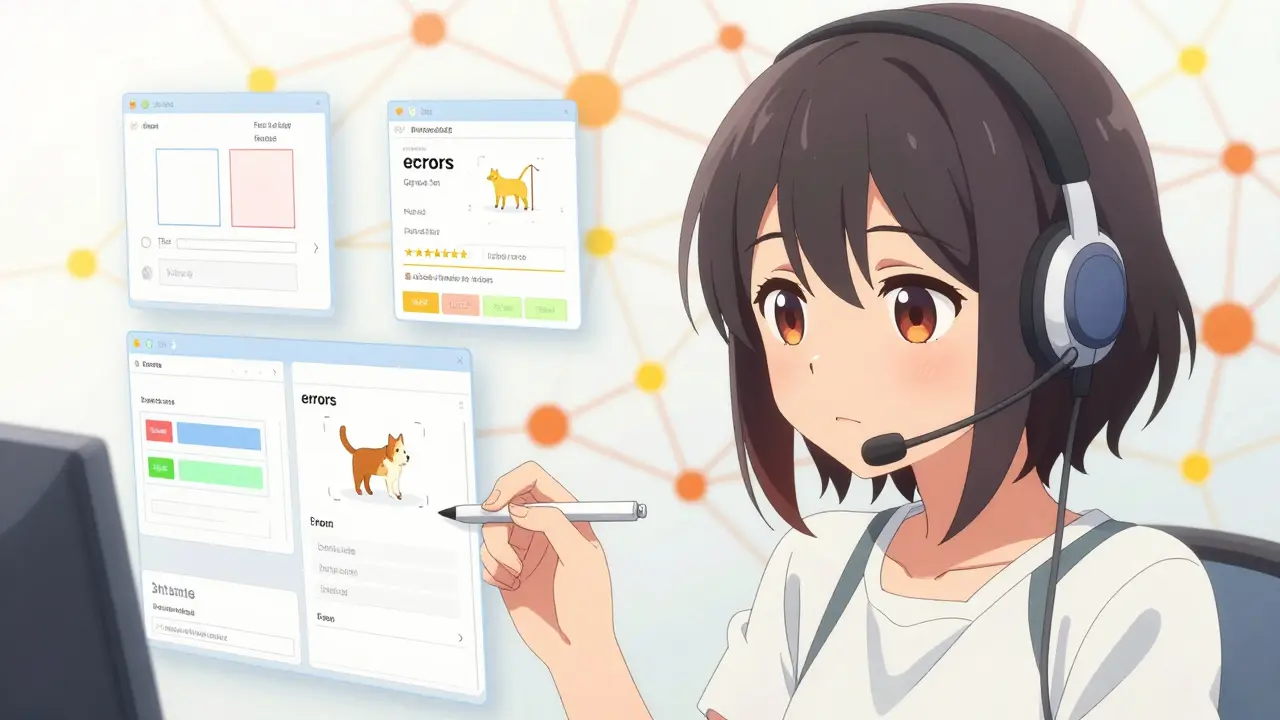
Finding errors is only half the battle. Fixing them requires process. If you just email a list of 1,000 corrections to your annotators, chaos ensues. People miss updates. Versions get mixed up. New errors replace old ones.
Start with clear communication. Don’t say "fix this." Say "this bounding box misses the rear tire. Please expand it to include the full wheel." Specificity reduces rework.
Use version control for your guidelines. When you add a new tag or change a rule, document it. Label Studio found that proper version control reduced midstream tag addition errors by 63%. Keep a changelog. Share it weekly.
Implement a consensus workflow for disputed cases. Instead of one person deciding, have two additional annotators review each flagged error. This adds 30-60 minutes per sample but boosts correction accuracy from 65% to 89%. Worth it for critical applications.
Maintain an audit trail. Record who changed what and when. TEKLYNX notes this enables faster root cause analysis. If errors spike next month, you’ll know whether it was a guideline change, a new annotator, or a tool bug.
Step-by-Step Workflow to Clean Your Dataset
Here’s a practical four-step process used by top MLOps teams. Adapt it to your stack.
- Load and Prepare Data (1-2 hours): Gather your dataset. Ensure it’s in the format your tool expects. COCO format for object detection. Tabular CSV for classification. Text files for NLP.
- Train a Baseline Model (1-24 hours): You need predictions to compare against labels. Train a simple model first. It doesn’t need to be perfect-just accurate enough (aim for 75%+ baseline) to spot obvious mismatches.
- Run Error Detection (5-30 minutes): Feed predictions and labels into cleanlab, Argilla, or Datasaur. Let the algorithm flag low-confidence matches, outliers, and contradictions. Export the list of suspected errors.
- Review and Correct (2-5 hours per 1,000 errors): Have humans verify the flags. Not every flag is an error. Some are edge cases. Use the web interface to approve, reject, or modify labels. Save changes back to your master dataset.
For a 5,000-image medical imaging project, Encord reported reducing error rates from 12.7% to 2.3% using this flow. It took 180 person-hours. Expensive? Yes. Necessary? Absolutely.
Pro Tips to Prevent Future Errors
Fixing errors today won’t stop them tomorrow. Build prevention into your pipeline.
- Write Examples, Not Just Rules: Clear guidelines cut errors by 47% (TEKLYNX, 2022). Show screenshots of correct vs. incorrect labels. Annotators learn visually.
- Use Multi-Annotator Consensus Early: Having three people label the same sample reduces errors by 63%. Costs go up 200%, but quality jumps dramatically. Use this for high-stakes classes.
- Monitor Drift Weekly: Run quick error checks after every major batch. Catch problems before they spread.
- Retrain After Fixes: Once you correct labels, retrain your model. The new weights will reflect cleaner data. Then run error detection again. Repeat until stability.
Don’t trust algorithms blindly. Dr. Rachel Thomas warns that over-relying on automated detection can create new bias, especially against minority classes. Always keep a human in the loop for final verification.
When to Hire Experts vs. DIY
If you’re a solo developer or small startup, start with cleanlab or Argilla. Both are free and open-source. Spend 8-10 hours learning the basics. Renumics found 72% of analysts needed that much time to feel comfortable with cleanlab.
If you’re an enterprise handling regulated data (healthcare, finance, automotive), consider dedicated annotation platforms like Datasaur or Encord. Their compliance features and audit trails justify the cost. Plus, they integrate error detection directly into the labeling UI, saving context-switching time.
Never skip validation. Even if you hire an external vendor, demand their error rate metrics. Ask for sample corrections. Test their guidelines against your own edge cases.
What is the average error rate in professional datasets?
Commercial datasets typically contain 3% to 15% labeling errors. Computer vision datasets average around 8.2% according to Encord's 2023 industry report. High-quality academic benchmarks like ImageNet still show about 5.8% errors.
Does cleaning labels really improve model accuracy?
Yes significantly. Research shows correcting just 5% of label errors in CIFAR-10 boosted test accuracy by 1.8%. Companies ignoring error detection see 20-30% lower accuracy than those who fix their data first.
Which tool is best for non-programmers?
Argilla offers the most user-friendly web interface with minimal coding required. Datasaur also provides one-click detection within its annotation platform, making it accessible for enterprise teams without deep technical expertise.
How long does it take to fix labeling errors?
Expect 2-5 hours per 1,000 flagged errors for human review and correction. Initial setup and model training may take 1-24 hours depending on dataset size. A 5,000-image medical project required 180 person-hours total.
Can I automate all label corrections?
No. Automated tools flag potential errors but shouldn't apply fixes blindly. Human oversight remains critical, especially for ambiguous cases and minority classes. Over-reliance on algorithms risks introducing new biases.
What causes most labeling mistakes?
Unclear guidelines cause 68% of errors. Missing labels account for 32% of object detection failures. Incorrect bounding box fits make up 27%. Ambiguous taxonomy changes during projects also contribute heavily.





Comments (12)
Lisa Thomas
oh my god this is exactly what i needed right now :o we spent three weeks debugging a model that was just eating garbage data because someone labeled the background as foreground and i am literally shaking with rage lol
Nicholas Bowling
yeah sure blame the labels instead of your terrible architecture you people are so lazy these days its always the data never the code come on give me a break
Jay Foreman
look nicolas if you think writing bad code fixes bad data you have bigger problems than just your ego we all know garbage in garbage out is the golden rule here stop being a contrarian for no reason and admit that clean data matters more than your fancy neural net tweaks
Cathy N
i agree with jay honestly it is frustrating when teams skip the validation step but maybe we should focus on solutions rather than fighting about who is to blame
Adelaide Motata
actually you guys are missing the point entirely its not just about tools its about the human element which is always flawed and messy and trying to automate away human error is naive at best please read up on basic cognitive psychology before commenting on data annotation workflows thank you
Mike Crump
hey adelaide thats a fair point about the human side of things but let us not forget that tools like cleanlab can help mitigate those issues significantly i found that using confident learning really helped our team spot outliers faster without needing to review every single image manually it was a game changer for us
Samantha Arbuckle
love this discussion everyone is bringing such great perspectives 🌟 i think the key takeaway is that we need both good tech and good processes working together to create robust models
Stephanie Francis
it is absolutely critical that organizations take label quality seriously especially in regulated industries like healthcare where errors can be life threatening we cannot afford to cut corners here
Daniel Tremblay
sure let us pretend that spending hundreds of hours fixing labels is more efficient than just building a better model from scratch classic corporate bs right there
Henri-Paul Soulodre
daniel you are completely wrong and morally bankrupt for suggesting otherwise the ethical implications of deploying biased or inaccurate models are staggering and ignoring data quality is a betrayal of public trust
Mark Hogan
honestly i just use argilla for most stuff cause its pretty easy to setup and the interface is nice enough for non coders to help out with verification saves us a ton of time
Hassan Bukhari
argilla is fine for hobbyists but if you want real enterprise grade solutions you need to look at platforms that offer comprehensive audit trails and compliance features which most open source tools simply lack